IFC Attributes & Userdefined Types
Good news for all IFC fans: With the latest update, we launched the support of IFC Attributes and Defining the ObjectType for Userdefined Types.
IFC Attributes
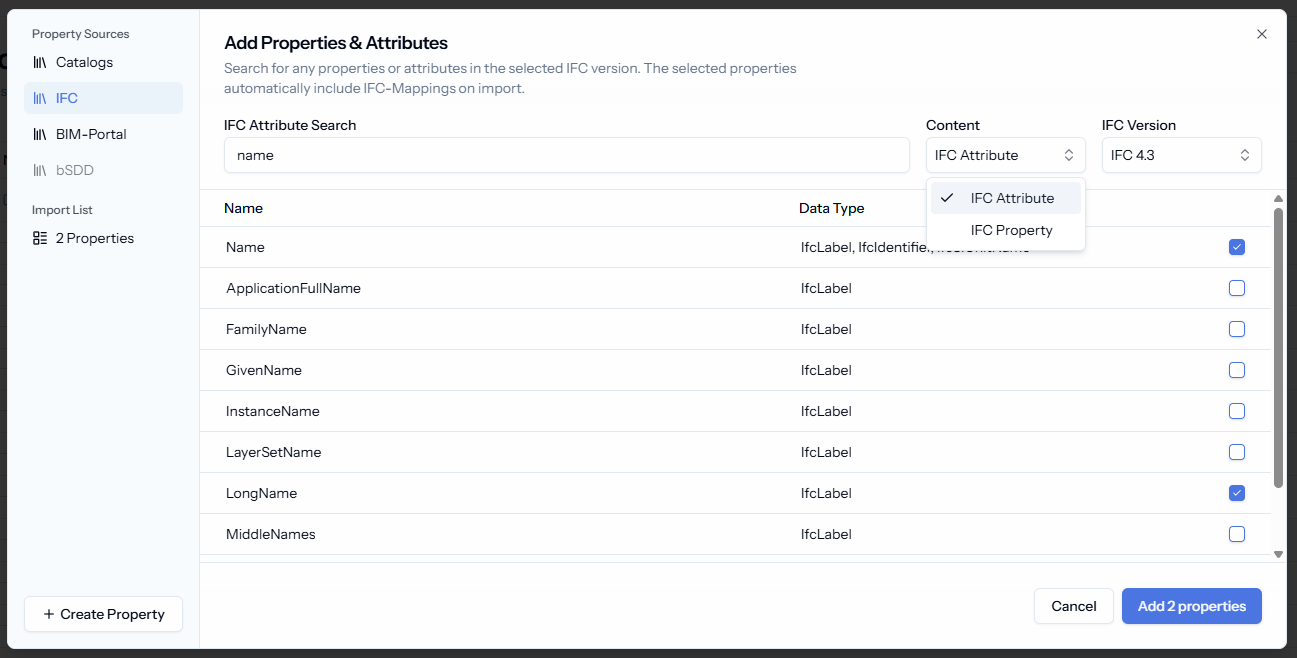
You can define now requirements for IFC attributes, e.g. saying that the attribute “Description” is required or that the attribute “Name” needs to have a specific value depending on the specification.
To add attributes, just go into the IFC tab when adding new properties and switch the Content to “IFC Attribute”. If you want to map an existing property to an IFC attribute, you can do that in the IFC settings of the property by switching the Mapping Kind to “Schema Attribute”.
💡IFC attributes vs. IFC properties
Though the words are sometimes used interchangeably they mean something different in the IFC schema:
Properties live in property sets and are attached to the elements and types, e.g. “IsExternal” in the property set Pset_WallCommon or custom properties in custom property sets.
Attributes are set on the element or type itself, e.g. “name”, “description” or “GlobalID”. An example for properties is “IsExternal” in the property set Pset_WallCommon or custom properties in custom property sets.
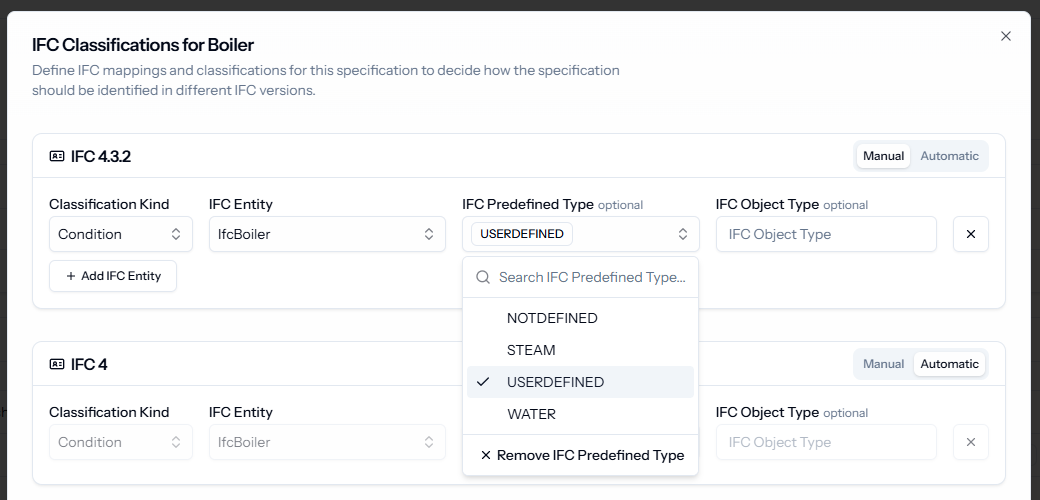
Object Type for PredefinedType = Userdefined
When you are using IFC entities with userdefined types for classification, you can now specify the object types.
As soon as you set the Predefined Type as “Userdefined”", the input field for the Object Type automatically appears, allowing you to enter your custom types.
Note: For now, the object types are only supported on the platform, including the IDS export. It is not supported in the Revit plugin or the IFC Studio yet.