Changelog

Follow new updates and improvements to LastBIM.

Easier Project Invitations for Colleagues | Bugfix for Shared Parameter Files


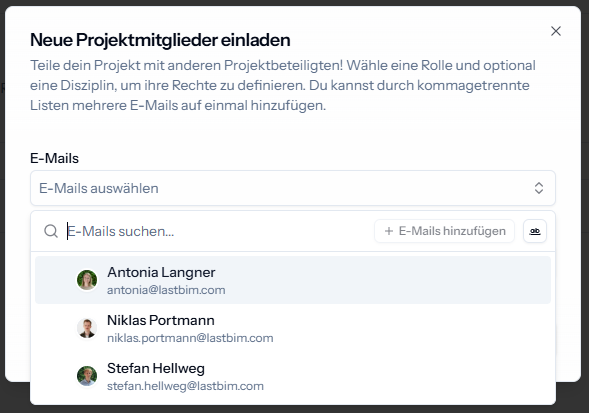
🆕 Invite your Colleagues to Projects

It is easier now to invite people from your organisation to your projects. Instead of entering the email addresses manually, you can now choose from a dropdown to add your colleagues.

🪲 Bugfix for Shared Parameter File Export

Recently, the shared parameter file was exported with the encoding UTF-8, leading to problems with umlauts in the parameter names in Revit. With this update the export will generate the file using the encoding UTF-16 LE again which will ensure that parameters with umlauts can be correctly imported in Revit.

If you have experienced issues with umlauts in your parameter names, export the file again. You can also check the encoding simply by opening the file in a text editor where the encoding is typically shown at the right bottom corner.
ImprovedFixed

Locking Catalogs | Shared Parameter Groups

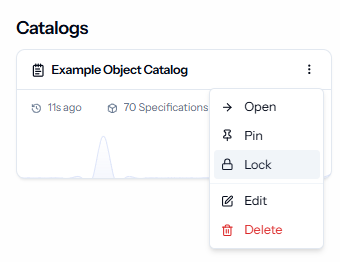
🆕 Lock & Unlock Catalogs

Catalogs can now be locked, to prevent unintentional changes eg. when requirements have been agreed on and should not change for the rest of the project phase.

The catalog can always be unlocked when it’s necessary to make changes again. Both, locking and unlocking the catalog will appear in the history.

Locking and unlocking catalogs requires the Edit right for catalogs.


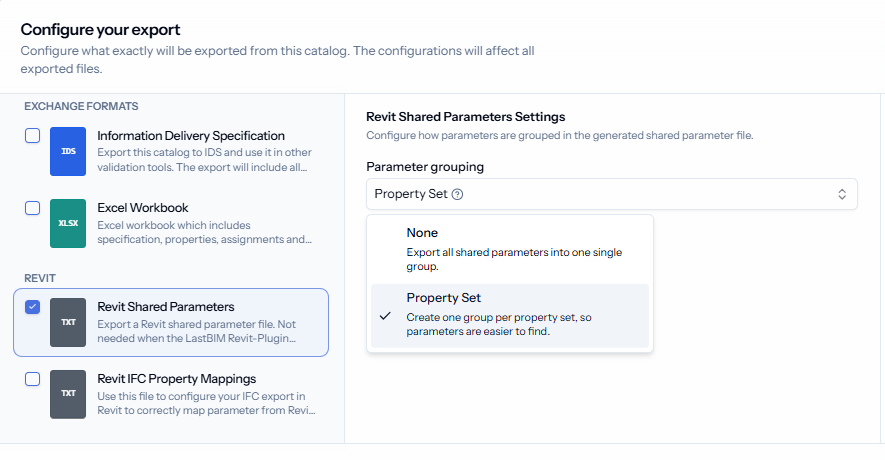
🆕 Configure Groups in Shared Parameter Export

When exporting the shared parameter file for Revit, you can now configure that the parameters are grouped by the LastBIM property groups instead of one group "LastBIM properties". This makes it easier to find specific parameters from the shared parameter file when you are using it e.g. to get the parameters in families.

Grouping by property group will be the new default.


Further Improvements

  • The discipline fields are no longer visible when no disciplines are configured for the project.

NewImproved

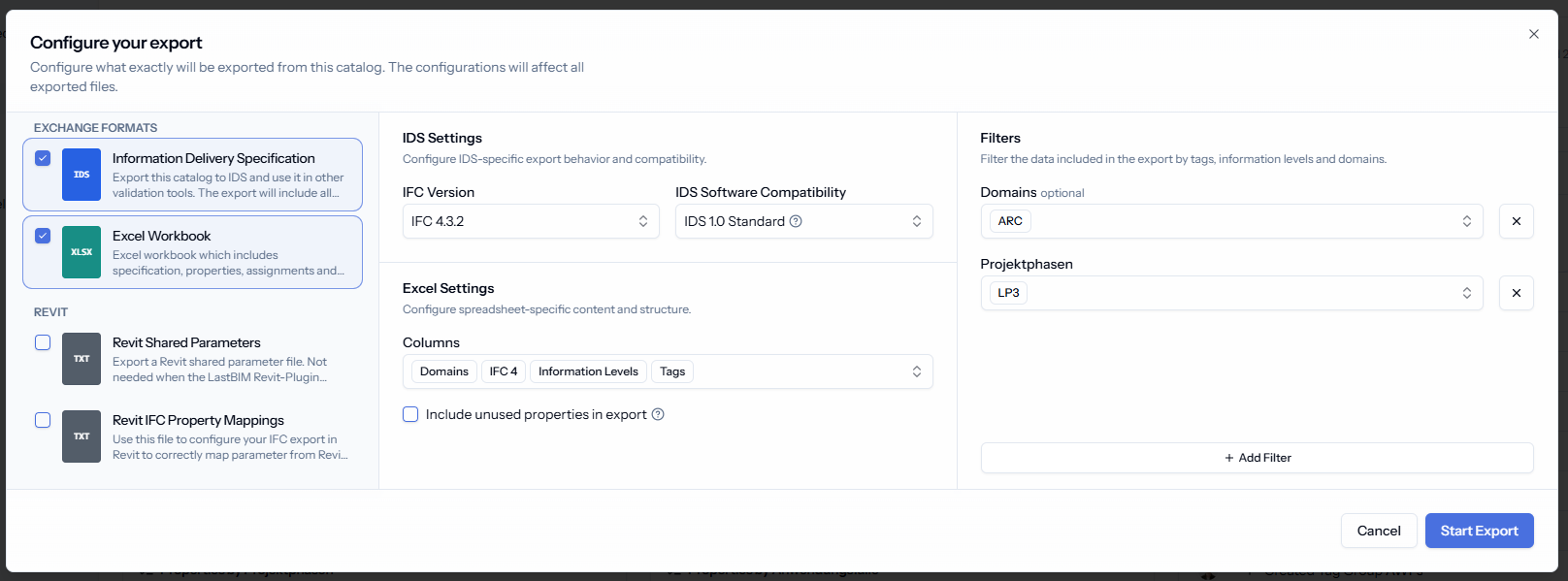
New Export Dialog: Filter Options for Excel Export & Co.

You can now export data in multiple formats simultaneously (e.g., Excel and IDS) while applying the same filters to all files at once.

What’s New?

  • Multi-File export: Select which formats you want to export and generate them all at once.

  • Filtering: Add filters for information levels, domains and tags to define which data is included in the IDS, Excel and the Revit files. Any properties and specifications that do not match your selected filters will be automatically excluded.

  • File-Specific Settings: You’ll also find some format-specific settings, like selecting the columns that should be included in the Excel file.

NewImproved

Earlier updates